How to Launch Your Restaurant’s Own Online Ordering in 6 Simple Steps
Connexup Team
Mar 16, 2026

The Rising Importance of Online Ordering
Many restaurant owners first encounter online ordering through third-party delivery platforms. At the beginning, the extra orders feel like growth. Over time, however, new operational challenges start to appear.
Orders arrive from multiple platforms. Staff must check different tablets. Menu updates need to be made in several places. And every order comes with a commission that can reach 15–30%.
At some point, many operators begin asking a different question:
Should we launch our own web ordering system instead?
More than 60% of U.S. consumers now order food online at least once a week. For restaurants, having their own ordering channel can mean lower commission costs, stronger customer relationships, and better control over operations.
The real challenge is not whether to offer online ordering, but how to implement it without creating new operational headaches.
Two concerns come up repeatedly among restaurant operators:
Setup complexity — where to start, what tools to use, and how everything connects
Ongoing maintenance — keeping menus, payments, and orders running smoothly
The steps below outline a practical way to approach the setup process.
Step 1: Choose the Right Ordering Platform
Choosing the wrong ordering platform is where most restaurants lose time.
Many operators launch with a tool that looks simple at first, only to discover later that it does not connect well with their POS, menu system, or payment setup.
In general, online ordering platforms fall into two categories.
POS-integrated systems
These platforms connect directly with your point-of-sale system so orders flow automatically into your kitchen and reporting tools.
Typical advantages include:
Orders routed directly to the kitchen
Menu updates synchronized with the POS
Sales data consolidated in one place
Solutions like Connexup are designed around this integrated model, allowing restaurants to connect their web ordering directly with their operational systems.
Standalone ordering tools
These tools are usually faster to launch and may not require deep POS integration. Orders are typically delivered through email, SMS, or a dashboard that staff must process manually.
They can work for restaurants that want a quick starting point, but manual steps often increase as order volume grows.
When comparing platforms, restaurants usually evaluate:
Number of locations
Menu complexity
POS compatibility
Technical support availability
Budget and scalability
To simplify the research process, we’ve put together a The Restaurant Owner's Guide to Choosing an Online Ordering Platform. Enter your email to access the full document and evaluate the best fit for your restaurant.
Step 2: Prepare Your Online Menu
Your digital menu is the foundation of the ordering experience. A well-structured menu helps customers order faster and reduces mistakes.
Important elements include:
Clear item names
Keep names consistent with your in-store menu so customers immediately recognize dishes.
Transparent pricing
Make sure pricing reflects taxes, delivery fees, or service charges where applicable.
High-quality images
Strong visuals make a noticeable difference in online ordering behavior and often increase engagement with menu items.
Modifiers and customization
Customers expect the ability to customize dishes, such as choosing toppings, sizes, or add-ons.
Basic preparation steps typically include:
Organizing items into clear categories
Verifying pricing accuracy
Uploading food images
Configuring modifiers and add-ons
For many restaurants, the most time-consuming part of launching online ordering is manually entering the entire menu into a new system.
Some modern platforms are starting to simplify this process. For example, Connexup allows restaurants to upload a photo of their existing paper menu, and the system can automatically recognize menu items and match them to product entries. This helps reduce manual data entry and speeds up the initial menu setup.
Once the menu structure is created, restaurants can manage categories, modifiers, and pricing through a centralized dashboard so updates stay consistent across ordering channels.
Step 3: Set Up Payments
Online ordering depends on fast and reliable payments.
Most systems today support several payment options:
Credit and debit cards
Digital wallets such as Apple Pay and Google Pay
Additional gateways like PayPal
Some platforms also connect directly with payment providers such as Stripe or Square, allowing restaurants to process payments using systems they may already use for in-store transactions.
For example, Connexup integrates with payment providers like Stripe and Square, while also supporting customer payment methods such as Apple Pay and Google Pay, giving restaurants flexibility in how they accept payments.
Best practices when configuring payments:
Use secure, PCI-compliant payment gateways
Test each payment method before launch
Clearly display payment options on the ordering page
Step 4: Connect Orders to Your POS
Connecting web ordering directly to your POS can significantly simplify operations.
Without integration, staff may need to manually enter online orders into the POS, which increases the risk of mistakes and adds extra work during busy hours.
With proper integration:
Orders appear automatically in the kitchen system
Menu updates stay synchronized
Sales reporting remains centralized
Platforms designed for restaurant workflows—such as Connexup—focus on ensuring that online orders follow the same operational path as in-store orders.
Step 5: Make Ordering Easy to Find
Once the ordering system is ready, customers should be able to access it quickly.
Common approaches include:
Creating a dedicated Order Online page
Adding Order Now buttons to the homepage and menu pages
Sharing direct ordering links in social media or marketing emails
Placing QR codes on in-store menus or signage
From a design perspective, successful ordering pages usually focus on:
Mobile-first layouts
Minimal steps to checkout
Clear confirmation at each step of the order process
Reducing friction in these steps can significantly improve order completion rates.
Step 6: Test Before Launch
Before promoting your online ordering system, run several test orders to confirm everything works correctly.
Important tests include:
End-to-end ordering
Place a full order from menu selection through payment confirmation.
Payment processing
Verify that every supported payment method works correctly.
Kitchen workflow
Confirm orders appear properly in your POS or kitchen display system.
Error scenarios
Test situations such as:
Out-of-stock items
Failed payments
Order cancellations
Many restaurants run a small internal launch with staff or loyal customers before promoting their ordering system publicly.
Download the Online Ordering Platform Comparison
Different online ordering platforms vary widely in integration capabilities, payment options, and operational features.
To help restaurant operators evaluate their options more efficiently, we’ve prepared a comparison guide covering several major online ordering platforms, including:
POS integration capabilities
Payment gateway support
Menu management features
Operational workflow tools
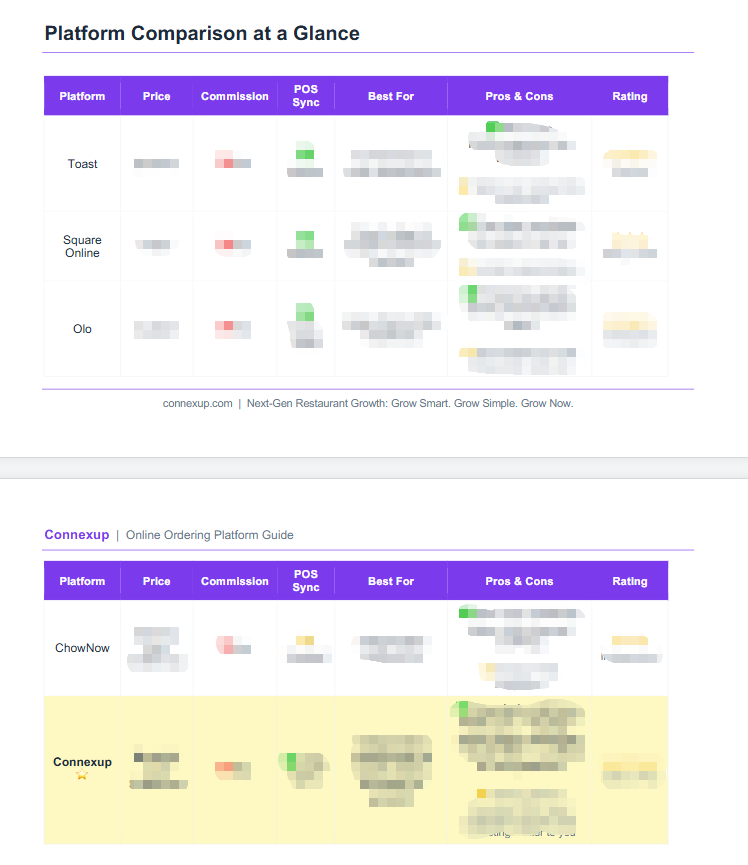 Leave your email below to receive the full comparison and find the platform that best fits your restaurant’s needs.